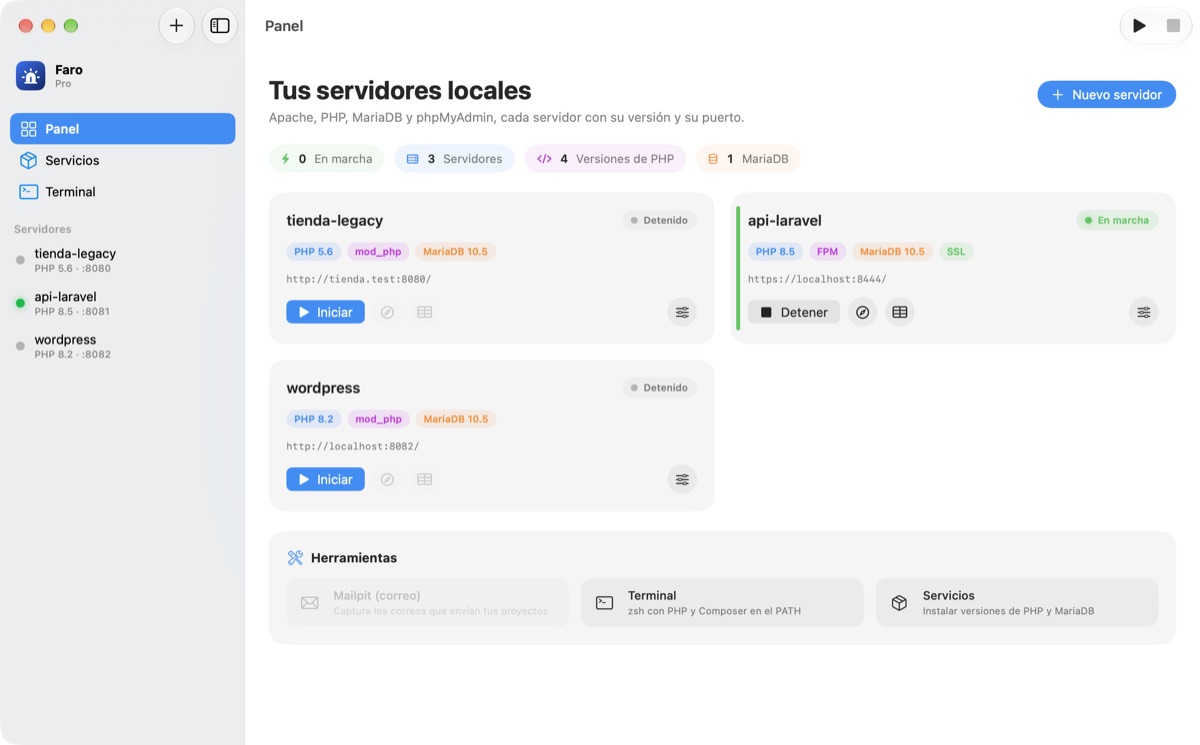

Independent servers
Each server has its own Apache, PHP, MariaDB and config files. Run two, three or ten at once, each on its own port.
Faro is the modern way to run local PHP servers on your Mac: Apache, PHP 5.6 to 8.5, MariaDB, phpMyAdmin, HTTPS and a built-in terminal. Each server has its own version, database and port, so you can test one project on PHP 5.6 and another on 8.3 at the same time.
Built to live with projects from different eras
Each server has its own Apache, PHP, MariaDB and port. Start the ones you need and Faro takes care of the rest.
Live status, PHP version, database and port of every server. Start, stop, open in the browser or jump into phpMyAdmin with one click.

PHP version, mod_php or FPM, ports, HTTPS, .test domain, php.ini limits, extensions, database, Git, logs and terminal. All in tabs, without touching a config file.

Built for people who maintain projects from different eras and don’t want to fight configuration files.
Each server has its own Apache, PHP, MariaDB and config files. Run two, three or ten at once, each on its own port.
Install the versions you need with one click. Choose Apache mod_php (classic) or PHP-FPM (like production) per server.
10.5, 10.6, 10.11, 11.4 or 11.8. Each server with its own instance and port. Create, import and export databases from the app.
Faro serves phpMyAdmin 4.9 to projects on PHP 5.6–7.1 and 5.2 to the rest, already connected to the right database.
A self-signed certificate per server with localhost and your .test domain; mark it as trusted and test without warnings in Safari or Chrome.
A real terminal per server with its PHP version and Composer on the PATH. Quick buttons for artisan, composer and git.
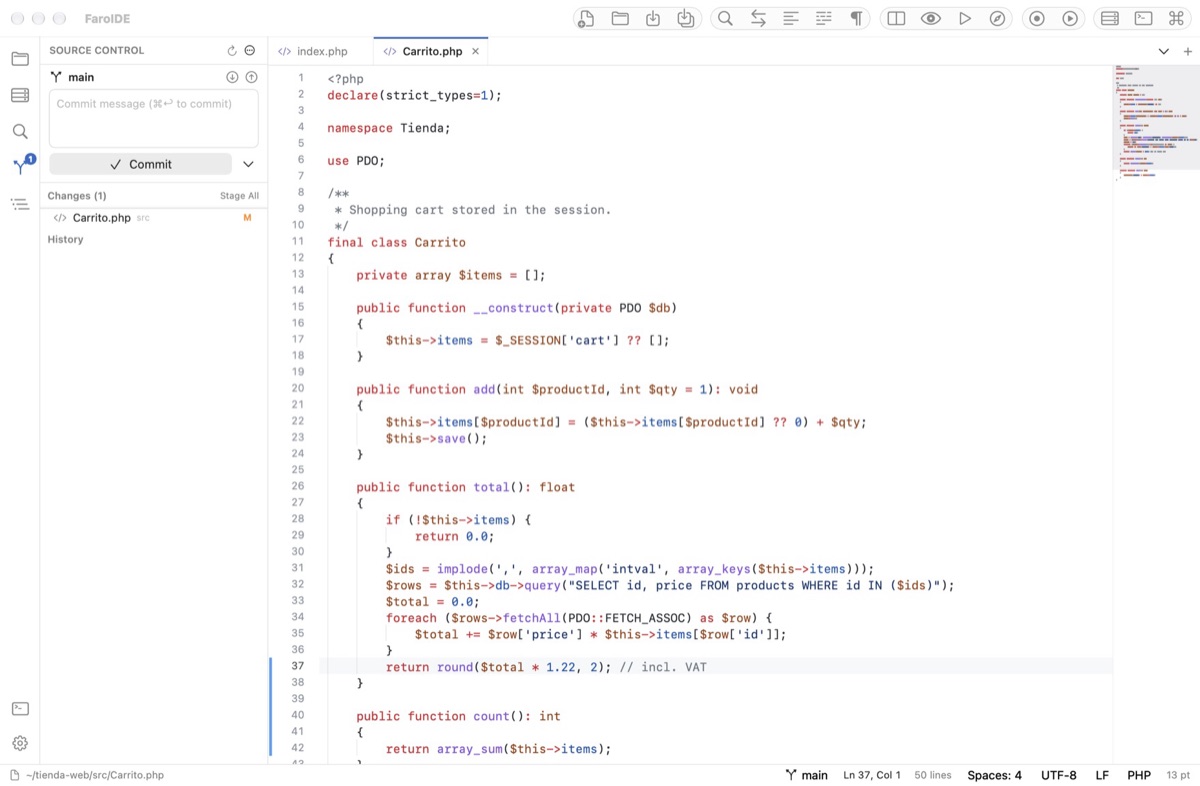
Status, commits, push and pull without leaving the app; clone a repository when creating a server; open the project on GitHub.
Mailpit built in: the emails your project sends land in a local inbox instead of going out to the Internet.
Toggle extensions and adjust limits from a clear panel. Faro regenerates php.ini, httpd.conf and my.cnf for you.
myshop.test instead of localhost:8080. Faro adds the /etc/hosts entry when you ask.
Apache, PHP, FPM and MariaDB errors with a filter, always one click away. No hunting for paths.
Native macOS design, light and dark mode, menu bar icon and ten languages: Spanish, English, Portuguese, French, German, Italian, Dutch, Russian, Japanese and Chinese.
Drag the app to Applications. If you don’t have Homebrew, Faro installs it from its terminal; then it downloads Apache, PHP, MariaDB and phpMyAdmin.
Name, folder, PHP version, database, ports, SSL. Faro suggests free ports and, if you like, clones a repository or downloads WordPress.
Faro generates the configuration, starts MariaDB, PHP-FPM and Apache and opens the site. Create another server with another version and start it too.
# Cada servidor vive en su carpeta, con su configuración ~/Library/Application Support/Faro/servers/<id>/ ├── httpd.conf # Apache en :8081, mod_php o proxy a php-fpm ├── php/php.ini # límites, errores, extensiones ├── php-fpm.conf ├── my.cnf # MariaDB en :3307, datadir propio ├── ssl/cert.pem # localhost, 127.0.0.1, api.test ├── mariadb/ # datos └── logs/ # apache, php, fpm, mariadb
Start free with one server. When you need more, Faro Pro is a one-time payment: no subscription, updates for the major version included.
To try a project.
To work with several projects and versions.
So you always get up-to-date, community-maintained builds with the standard extensions instead of frozen binaries. Faro takes care of installing everything: you just pick versions.
Yes. When creating a server you pick any folder as the web root; Faro never modifies or deletes it.
host 127.0.0.1, the server’s port (for example 3307), user root and the password you set (root by default). With host=localhost PHP uses the server’s socket directly.
Yes. When creating a server you can download WordPress or run composer create-project for Laravel or Symfony in the built-in terminal. AllowOverride All is on so .htaccess files work.
Only for .test domains (editing /etc/hosts) or to trust the HTTPS certificate. Servers run as your user on high ports.
Free is for trying a project: one server with Apache mod_php, MariaDB and phpMyAdmin. Pro (USD 15.99, one-time) unlocks unlimited parallel servers, PHP-FPM, HTTPS, .test domains, terminal, Git, Mailpit, Xdebug and import/export. The key activates offline.
It stops every server cleanly. If you’d rather keep them running, turn that off in Settings; Faro stays in the menu bar.
macOS 14 Sonoma or later, Apple Silicon and Intel. The download includes Free; Pro activates with your key.
First launch on a Mac without notarization: right-click → Open.